




FXCM Mobile App: iOS and Android download
As one of the leading brands in the industry, FXCM has the resources to support a premium mobile application. FXCM’s mobile app is available for Android and iOS devices and receives regular updates, ensuring a high level of security and constantly expanding functionality. The app has over 500 thousand downloads on Google Play alone, which is indicative of both the number of clients of this broker and the high usability of the app.
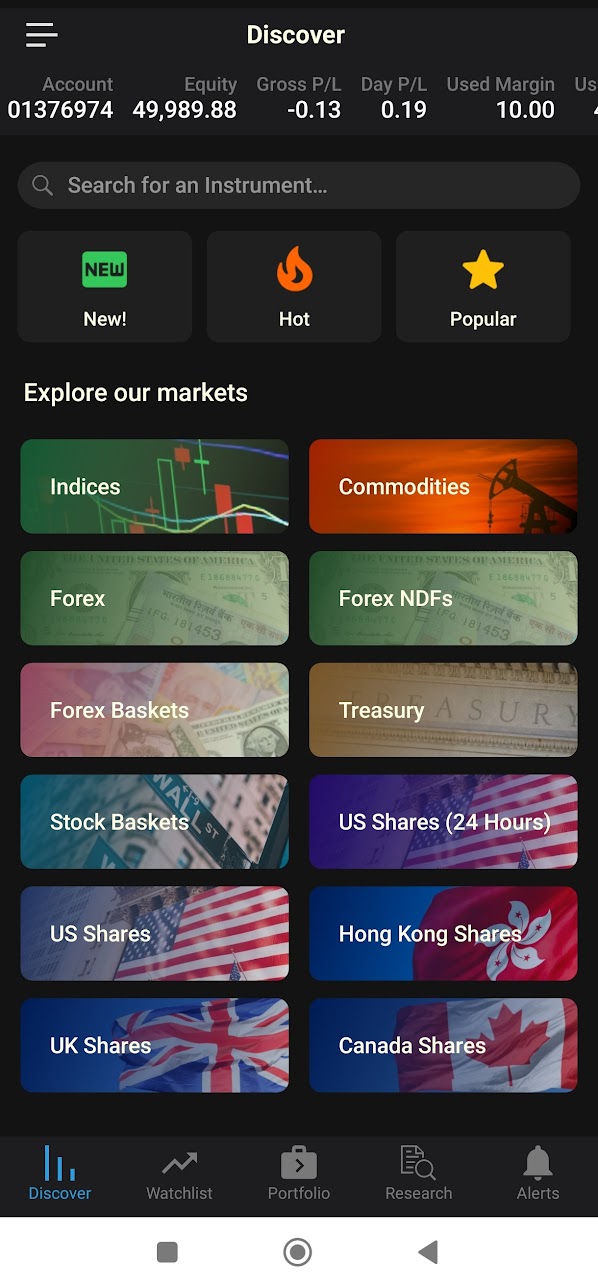
The mobile app gives you full access to all the features to manage your FXCM trading account. This includes the ability to deposit and withdraw funds and access research resources and tools. The mobile app also includes FXCM’s own trading platform, Trading Station. The mobile version of the platform has the same functionality and customizability as the web version of the platform.
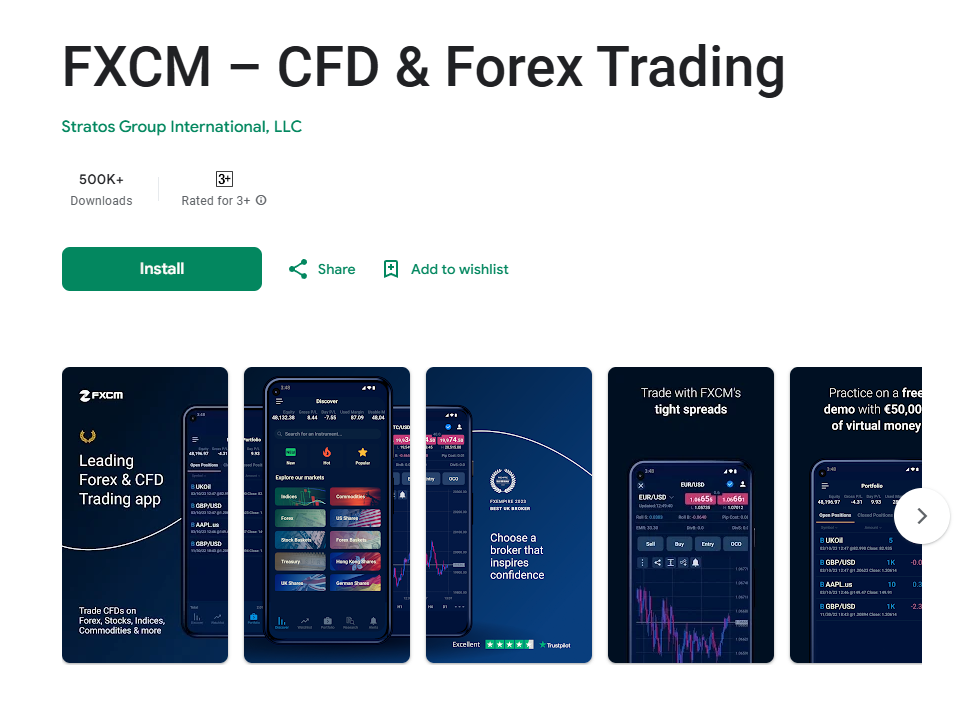
For a forex and CFDs broker, having a proprietary mobile app offers several significant benefits. A proprietary mobile app allows traders to access the broker’s trading platform anytime, anywhere, as long as they have an internet connection. This level of accessibility enables traders to stay updated on market movements and execute trades promptly, even when they are on the go. A well-designed mobile app provides traders with a seamless and user-friendly interface optimized for mobile devices. This enhances the overall trading experience, making it easier for traders to navigate through different features, execute trades, and manage their accounts efficiently. With a proprietary mobile app, brokers can engage with their clients more effectively by sending push notifications about market updates, trading signals, and promotional offers. This helps keep traders informed and engaged, encouraging them to remain active on the platform. A mobile app allows brokers to tap into new market segments, including younger traders who are more inclined to trade on mobile devices. By catering to the preferences of mobile-centric traders, brokers can expand their market reach and attract a broader audience. Mobile apps enable traders to react quickly to market developments and capitalize on trading opportunities in real-time. This agility is particularly crucial in fast-paced markets where timely execution can make a significant difference in trading outcomes.
If you have an MT4 trading account with this broker, you can manage it through the mobile application of the platform. The MetaTrader 4 (MT4) mobile trading app is a powerful tool designed to enable traders to manage their forex and CFD trading accounts on the go. It is available for both Android and iOS devices and provides a streamlined version of the popular MT4 desktop platform. While it retains many core functionalities of the desktop version, the mobile app has certain limitations and differences. Additionally, it varies from the mobile app of MetaTrader 5 (MT5) in terms of features and capabilities, reflecting the distinctions between the two platforms overall.
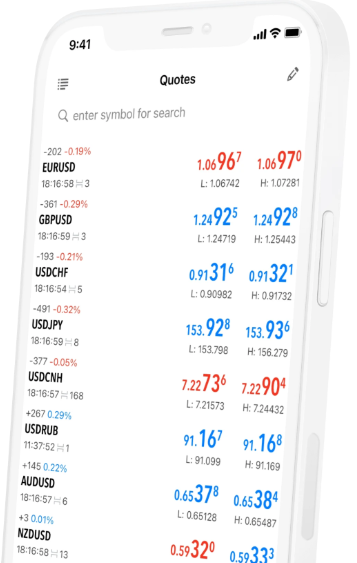
The MT4 mobile app allows traders to access real-time quotes, place trades, and manage open positions. It supports three types of order execution—instant, market, and pending orders—and enables traders to modify stop loss and take profit levels directly from their mobile devices. The app also includes a comprehensive suite of charting tools with nine timeframes, 30 technical indicators, and customizable chart styles. These tools provide traders with the ability to analyze price movements and market trends effectively, though the range of features is somewhat simplified compared to the desktop version. For example, the number of technical indicators and analytical objects is fewer, and customization options for charts are less extensive.
One key difference between the MT4 mobile app and its desktop counterpart is the absence of advanced automated trading features. While the desktop version allows for the use of Expert Advisors (EAs) for algorithmic trading, the mobile app does not support this functionality. Traders who rely on EAs or need to perform extensive backtesting of strategies would need to use the desktop platform. Additionally, the mobile app lacks advanced features like custom scripts and plugins, which are integral to the desktop experience.
When comparing the MT4 mobile app to the MT5 mobile app, the differences largely mirror those between the desktop versions of the two platforms. The MT5 mobile app offers more advanced features, such as additional timeframes (21 compared to MT4’s nine), a greater number of technical indicators, and built-in tools like the economic calendar. These enhancements make MT5 mobile more suitable for traders who require a broader range of analytical capabilities and access to multi-asset trading, as MT5 supports trading in stocks and commodities alongside forex and CFDs. However, many traders continue to prefer MT4 due to its simplicity, lower system requirements, and widespread adoption by brokers.
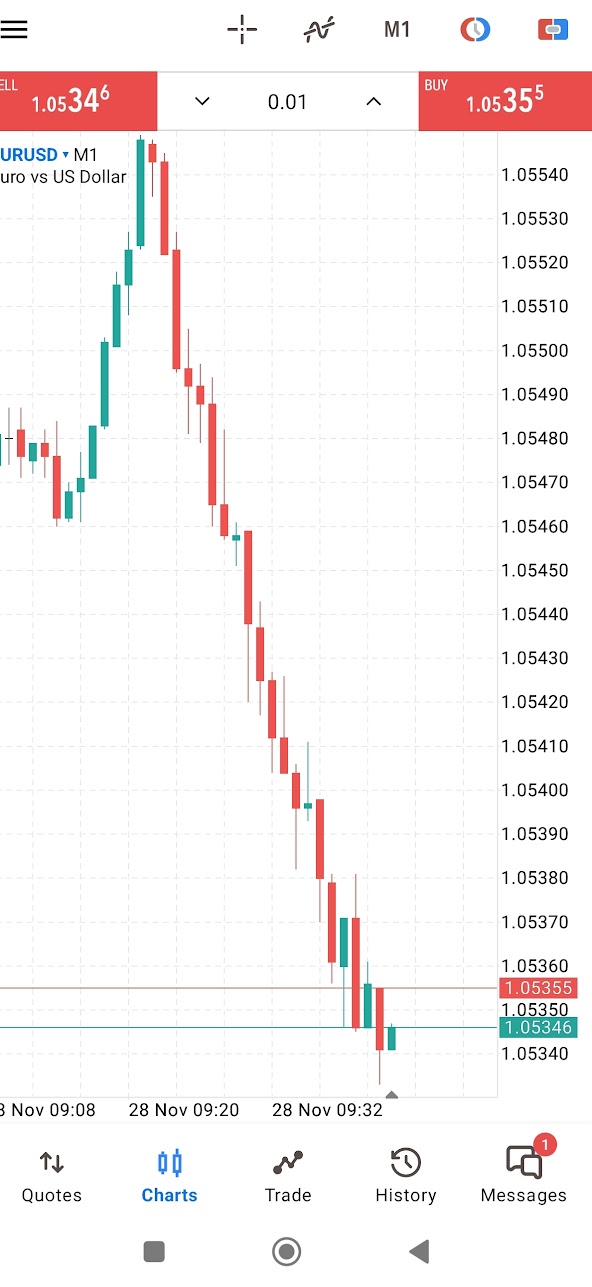
The MT4 mobile app provides a user-friendly and effective platform for trading and market analysis while on the move. However, its limitations, particularly the lack of support for automated trading and fewer analytical tools compared to the desktop version, make it less suitable for traders who require advanced functionalities. The MT5 mobile app builds on these features with greater flexibility and additional tools, but its suitability depends on individual trading needs and preferences. For traders seeking a balance between convenience and functionality, the MT4 mobile app remains a reliable choice, especially for forex and CFD trading.


