




OnEquity Registration & Verification Guide
Opening an account with OnEquity follows a standard online registration procedure that traders will find familiar. The process begins by clicking the “Open an Account” tab in the upper-right corner of the broker’s website. From there, traders can select either an Individual Account or a Corporate Account.

New users are required to provide basic personal information, including:
- Full name
- Email address
- Country of residence
- Date of birth
- Nationality
- Phone number
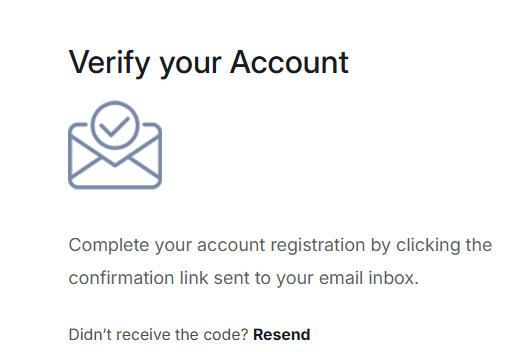
Once these details are submitted, OnEquity sends a verification email. Traders must confirm their address by clicking the link provided before gaining access to the trader’s board, where they can choose to open a demo account or proceed with a live trading account.
Live Account Onboarding
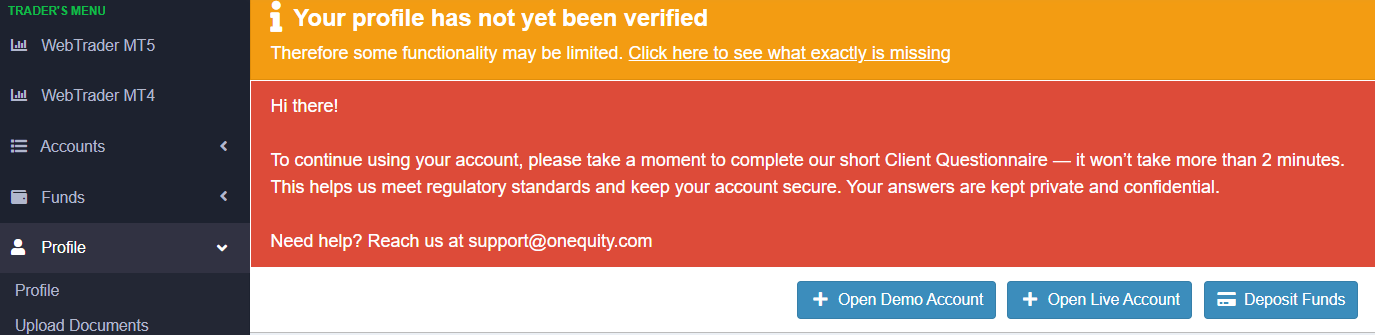
To activate a live account, traders complete several additional steps covering:
- Personal details
- Trading experience
- Employment status
- Financial background
This information is part of the broker’s compliance requirements and helps assess suitability for trading.
Account Verification (KYC/AML)
To fully enable trading and withdrawals, OnEquity requires identity and address verification in line with Know Your Customer (KYC) and Anti-Money Laundering (AML) regulations:
- Identity Verification – Upload a valid government-issued photo ID (passport, driver’s license, or national ID). The document must be current, unobstructed, and clearly legible.
- Proof of Address – Provide a recent bank statement, utility bill, or government-issued document dated within the last 90 days, showing both your full name and residential address.
Completing these steps early ensures smooth access to all account features and avoids delays when making deposits or withdrawals.
Common Challenges and Solutions
Although the process is generally straightforward, some traders may face challenges:
- Password issues – Forgotten or complex passwords can be reset via the “Forgot Password” option.
- Inconsistent details – Discrepancies between submitted information and ID documents often cause rejections. Double-check all entries.
- Poor document quality – Blurry or cropped images slow verification. Use high-quality scans with all details clearly visible.
- Login lockouts – Multiple failed login attempts may lock accounts. Contact support for reactivation.
- Technical glitches – Website errors may occur. Clearing cache, updating browsers, or switching devices typically resolves these issues.
Best Practices for Smooth Onboarding
- Prepare valid ID and address documents before registering.
- Ensure all personal details match exactly across forms and documents.
- Use a stable internet connection during registration and verification.
- Keep login credentials securely stored.
Final Thoughts
OnEquity’s registration and verification process is standard and compliant with industry norms. The steps are clearly defined, though some users may encounter minor technical or documentation issues. Overall, traders who prepare their documents in advance and carefully follow the requirements should expect a smooth and secure onboarding experience, consistent with what regulated brokers typically provide.


