




FxPro Registration & Verification Guide
FxPro is a broker that operates in multiple jurisdictions and through various legal entities. But the account registration process is largely uniform and more streamlined than some other multi-regulated brokers. FxPro even encourages you to make a deposit before you have verified your identity.
FxPro also allows the creation of multiple Demo accounts, which allows you to try out all available trading platforms combined with different order execution methods, leverage levels, pricing models and base currencies. In this way, the trader can test different configurations and identify the most convenient and profitable ones for his personal needs without having to risk real money.
One of the features is that account verification requires you to use the broker’s mobile app. You could also use the app for the entire account registration process.
FxPro directs you to the website of a particular company in the group depending on your IP address. However, choosing your country of residence during the registration process may change which company you contract with.
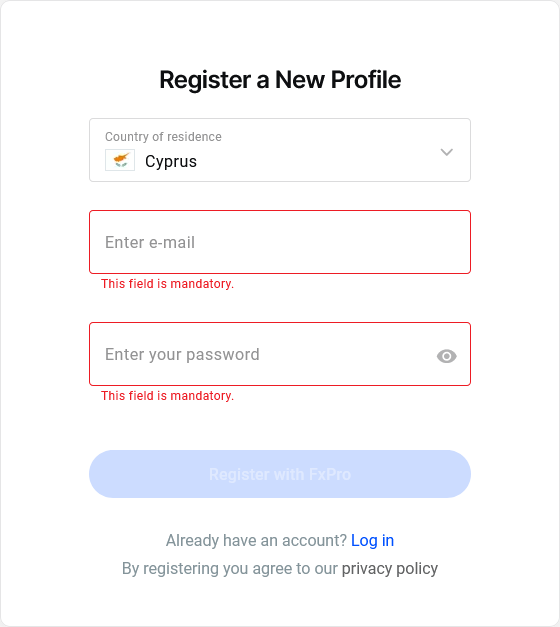
The initial screen in the registration menu requires you to specify a country of residence, provide an email and create a password. The registration process does not require you to verify your email address.
Subsequent steps require you to provide names, date of birth, and phone number, which you also do not need to verify. You will need to indicate if you have more than one nationality and if you are a U.S. resident for tax purposes.
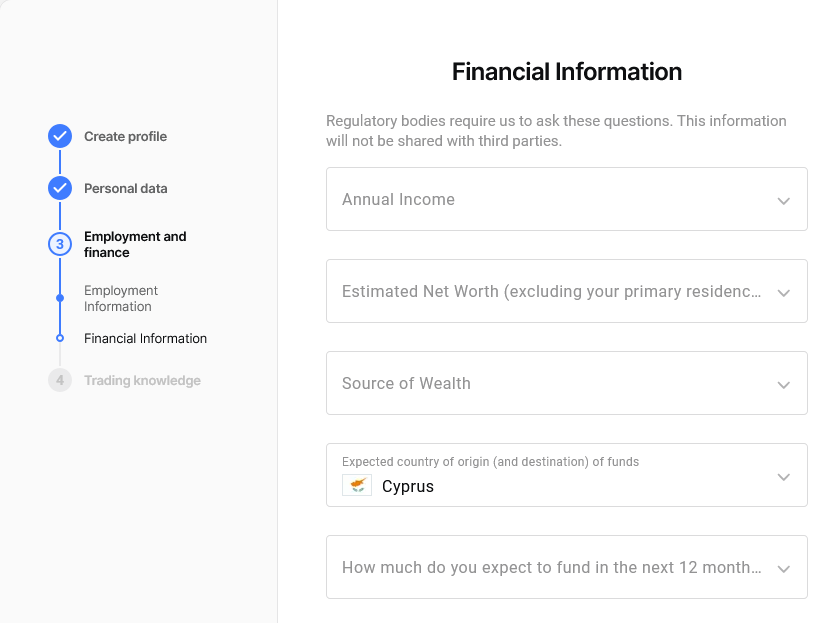
Once you have provided your residential address you move on to the employment information section and then financial information. You will need to provide your annual income, estimated net worth and source of wealth. The broker also asks questions about your investment intentions. If you are a client of one of the broker’s more heavily regulated companies, such as the one in Cyprus, the final step of registration requires you to complete a short test on your knowledge of financial trading.
Once you have completed the quiz you must select a base currency for your account and agree to the Broker’s Customer Agreement and other binding documentation.
FxPro automatically creates a standard trading account with the MT5 platform, but you can create additional live and demo accounts according to your preferences.
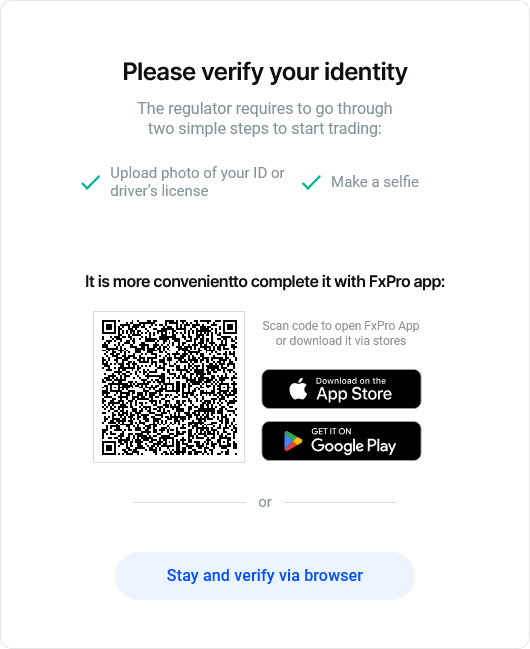
As stated, you can deposit funds into your Wallet even before you have verified your identity. But to start real trading you need to verify your account. FxPro requires this to be done via the mobile app because after uploading the ID image you need to use your device’s camera to take a selfie.


